Explore · Stay · Experience · Support Local India's #1 Platform for Himachal Pradesh

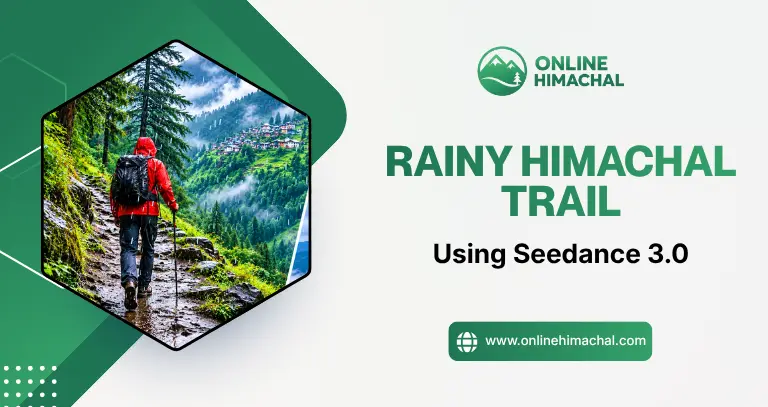
At a trailhead in Himachal, the first decision a hiker makes may be as simple as pulling a rain cover over a backpack. For a short travel video, I want to begin with that decision. I picture a hand tucking the elastic around a pack, a few drops on a stone step, and a green hillside that only comes into view once the walker lifts their head. Thirty seconds is enough to capture that feeling of setting out. It is also short enough that every shot needs a job.
A hill walk in three views
I plan the opening as a close detail, the middle as a view from behind the walker, and the ending as a still moment looking across a valley. I can construct the sequence around materials from the same stretch of trail: a photo of the pack by a step, a quick phone video of the first few paces, and field audio with water dripping through the trees. Keeping them together matters. Signs, vegetation, and the shape of a path can change even over a short distance. A video which pulls every scenic image from a different location can confuse a hiker who is thinking about visiting.
While laying those materials out, I notice that the pack photo has a better view of the step than the phone clip. The clip matters for a different reason. In it, the walker slows before bearing weight on wet stone. I can sketch the motion from that clip with seedance 3.0 and ask the model to take the surface and the pack’s color from the photo. An image-to-video trial with just the photo lets me see how much of that effect comes from framing alone. I plan to compare the two versions at the same length.
Keep the uphill movement small
For the close view I want the camera about level with the pack’s side pocket. The hand pulls the rain cover downward, catches it on the corner, then finishes the motion in one short adjustment. Leaves and gravel are visible in the bottom right. The light is soft, and the camera stays anchored until the hand moves out of frame. If I use seedance 3.0 to try this angle, I can put those choices in the prompt and use the photo to show the shape of the pack. The final second has room for a cut as the walker stands up.
A common temptation with a mountain scene is to ask for a reveal at every turn. For this video, I plan to keep the lens fairly tight through the second shot. The materials suggest a stronger progression: start with a view that barely extends beyond a pair of boots, then widen to the path. I can give seedance 3.0 the clip of the first careful steps as a motion reference, a photo for the muted colors, and a text description of how much space to leave above the walker’s shoulders. The actual route beyond those first visible steps stays out of the generated shot.
If the result makes the rain cover billow or the walker seem to hurry, I know which part of the brief to revise. A little unsteady motion in a real phone video feels ordinary. A camera that rushes past the walker feels as though it has skipped the very thing I want the audience to notice. On the next pass I can anchor the camera behind the same shoulder and make the pace clear through a single movement: the right boot rises onto the step and the left stays below until the weight settles. I can also exclude the hand from this angle so it stays visually distinct from the opening.
Let dripping water join the shots
I plan to take a short field recording while standing still so clothing and footsteps stay out of the way. When the pack slips into the picture, the recording can already be playing at a low level. In the reference-to-video setup, seedance 3.0 can use audio alongside text, a still and motion footage. Here the drip is a guide to the mood and rhythm. For the edit itself I can bring the real audio onto its own track and give it a little overlap across the two views. One close drop just before the cut marks the end of the first action. The softer background gives the viewer a moment to settle into the wider frame.
I also plan to try the cut muted. If it only makes sense because the recording suggests rain, it needs a more legible visual clue. A few beads already on the pack in the opening still can be enough. I want to avoid asking for a heavy downpour because it changes the whole walk and suggests a condition my original materials do not show. On a phone screen the difference between damp leaves and a torrent will be obvious, even for a viewer scrolling with the sound off.
Give the valley its own beat
The last shot needs breathing room, so I plan to hold on the actual valley footage if I have it. For a composition study, I can describe a text-to-video shot in seedance 3.0 with a dark line of trees in the foreground and a ridge just visible through the haze. I can test whether a fixed frame makes a better ending than a gentle upward tilt. I expect to keep the stiller option, partly because the viewer has just spent a couple of cuts following the walker. An unmoving frame lets the hill and the weather take over. Any generated view used in the published version should be identified as an illustration.
My finishing check is to put the three shots next to the written travel post. The name of the trail, its condition, and any directions should come from verified notes. I keep a sketch produced in seedance 3.0 away from captions that imply it is a map or up-to-date footage of a route. What the clip can do is carry the feeling of watching the rain ease, stepping onto damp stone, and turning to see the hills. I plan a vertical version with a one-line caption over the valley and a wider version in which the ridge has room to run across the frame. The same simple movement starts both versions: someone takes a moment to cover their bag, then takes the first step.
Also Read : Fiddlehead Fern: The Wild Himalayan Superfood